


Email Marketing
React Bricks v5 adds email marketing support, so teams can create email campaigns with the same visual editing model used for website pages.
Email marketing pages are identified by a dedicated page type and can be connected to an Email Sending Provider from the dashboard.
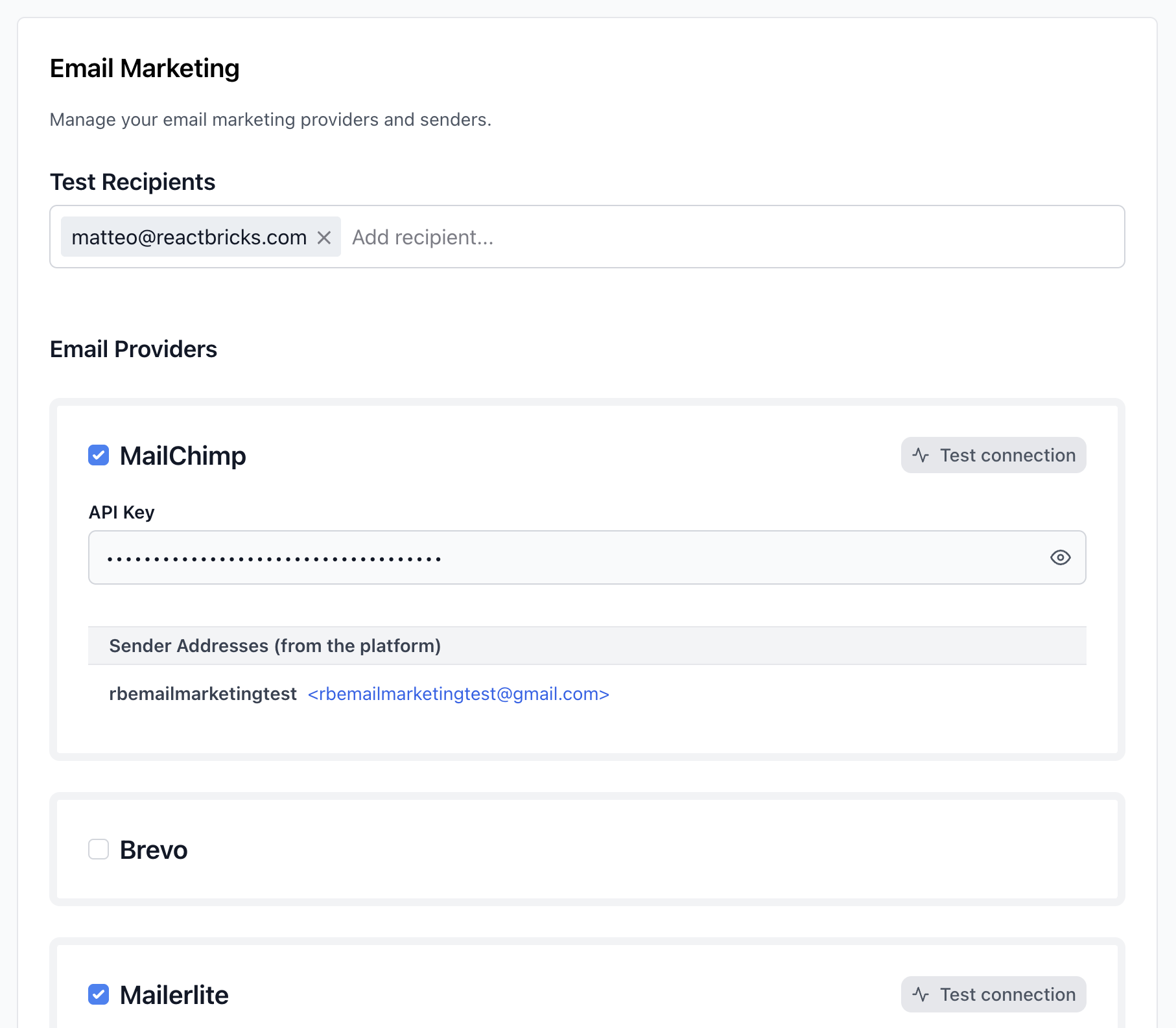
Supported providers
Section titled “Supported providers”Supported Email Sending Providers include:
- MailChimp
- Brevo
- Mailerlite
- GetResponse
- SendGrid
- Resend
- ConvertKit
Email marketing page types
Section titled “Email marketing page types”Email campaigns are created from page types marked as email marketing page types.
The page type fields for email marketing are documented in Page Types. For the code-focused setup path, see Implement Email Marketing.
Campaign options
Section titled “Campaign options”Pages with isEmailMarketing: true include campaign-specific options in the editor.
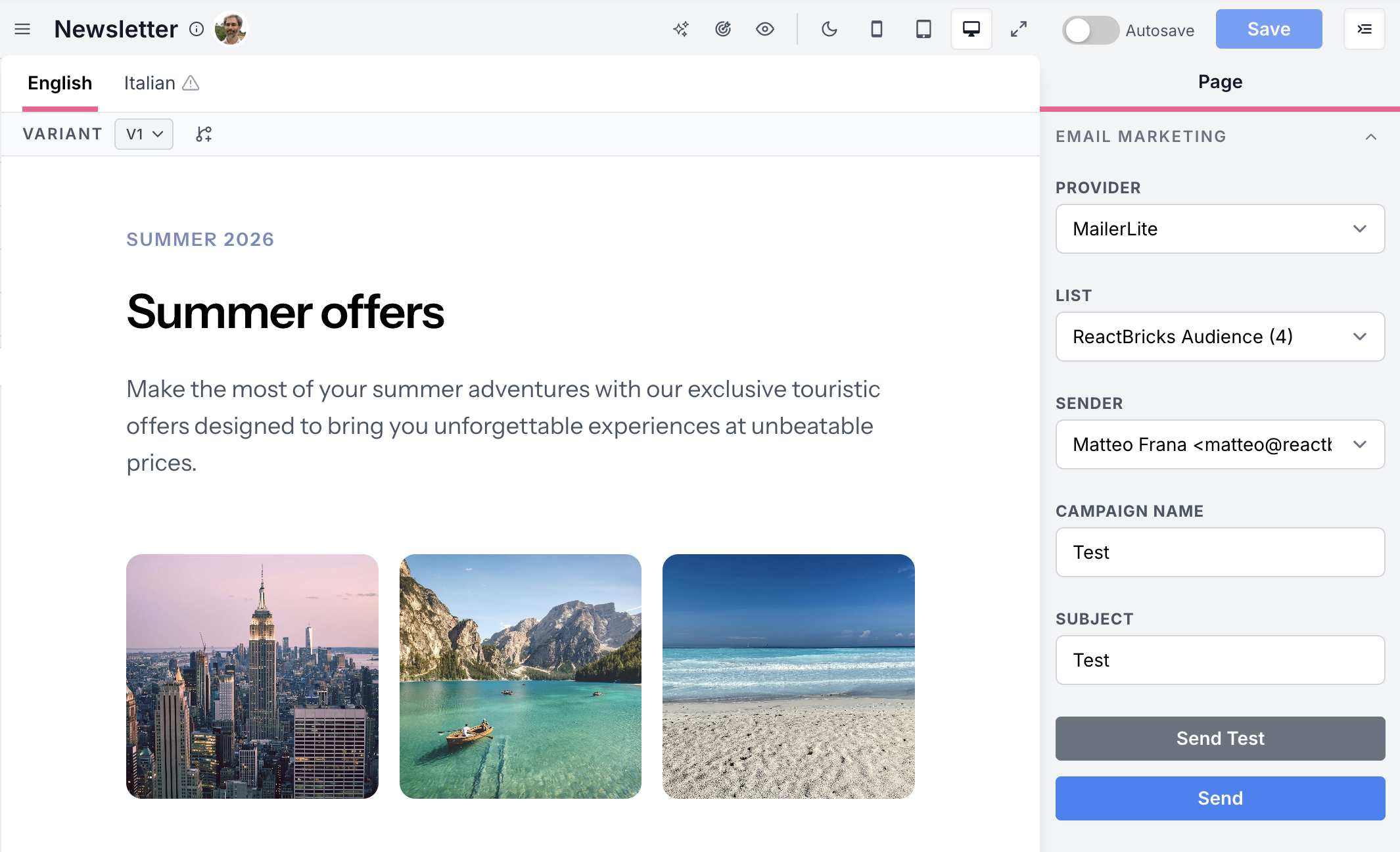
Editors can select:
- an Email Sending Provider
- a list
- a sender
- a campaign name
They can also send a test, send the campaign, or schedule it.
Email bricks
Section titled “Email bricks”The starter projects include optional email marketing bricks based on react-email.
These bricks can be installed by the CLI and used as a starting point for your own email design system.
Developer setup
Section titled “Developer setup”Developers configure email marketing page types and email-specific bricks in code.
See Implement Email Marketing for the implementation path and IPageType for the type reference.