


Form Management
React Bricks v5 adds form management.
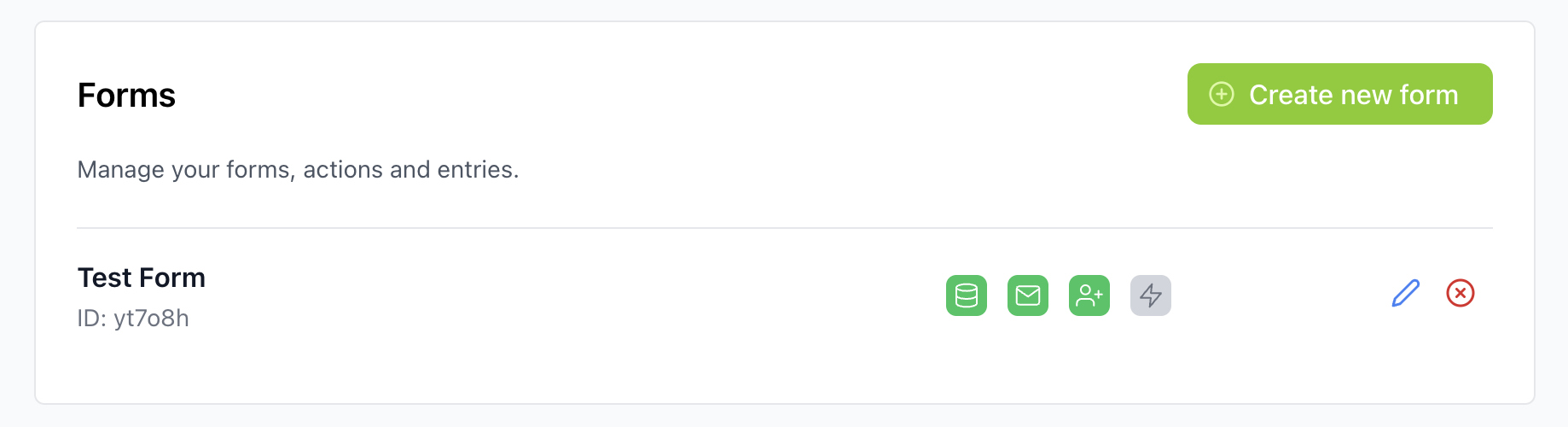
You can create forms from the dashboard and decide what should happen when a visitor submits a form.
Form actions
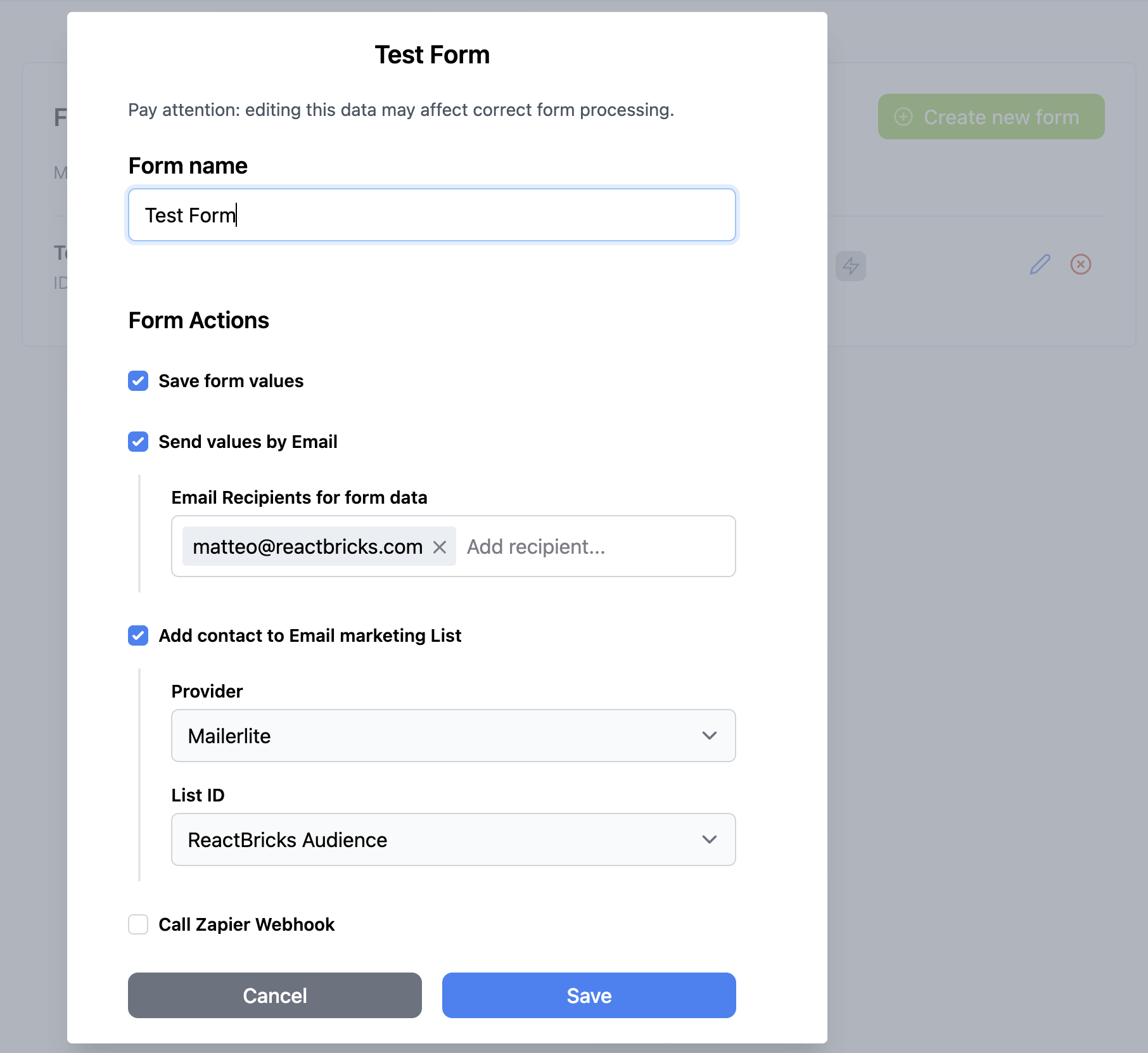
Section titled “Form actions”Forms can be configured with one or more actions:
- save submitted data
- send an email with the submitted data
- subscribe the visitor to an Email Sending Provider list
- call a Zapier webhook
This lets teams manage common website forms without hard-coding every workflow in the frontend.
Submitting form data
Section titled “Submitting form data”Use the sendFormSubmission function from a form brick to submit data to a React Bricks form.
The form brick owns the frontend markup and validation experience, while React Bricks handles the configured form actions.
If you want the content team to create forms directly in the frontend, you can start from the example Form Builder bricks. They provide a composable set of form bricks, so editors can assemble fields visually while React Bricks still manages submissions and backend actions.
In practice, a form brick usually:
- Renders the form fields.
- Collects the submitted values.
- Calls
sendFormSubmissionwith the app data, token, form identifier, submitter email address, submitted data, and fetch options. - Shows a success or error state to the visitor.
The exact fields depend on the form you configured in the dashboard.
For the TypeScript signature, see sendFormSubmission.
Spam protection
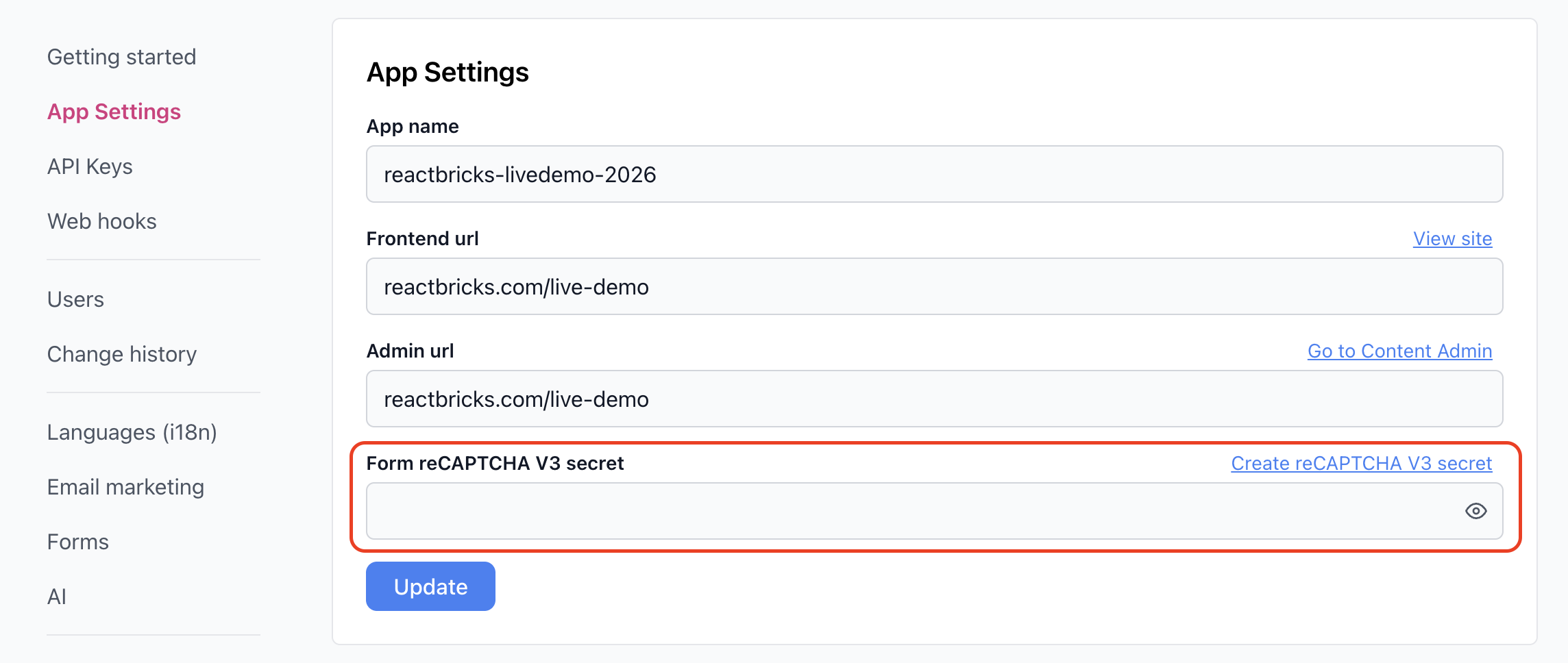
Section titled “Spam protection”React Bricks forms support Google reCAPTCHA v3 protection.
Use reCAPTCHA for public forms where you need protection against automated submissions. For reCAPTCHA spam prevention to work, provide the Form reCAPTCHA V3 secret in the React Bricks Dashboard, under App Settings.
Developer setup
Section titled “Developer setup”For the code-focused setup path, see Submit Forms.